
Animated sticker packs with GPT Image 2.6
On launch day people turned their own photos and characters into animated sticker sets: six chibi stickers from a profile photo (@goan999999), a character eating rice with one caption (@Gorden_Sun), "GIFs of this character's four emotions" for LINE (@tetumemo), custom sets sold on Xiaohongshu (@Leviwoyun), and a how-to for publishing sets with tips on WeChat's sticker platform, from an author who says AI stickers earned them over 1,000 RMB (@ama_huangama, 635 bookmarks).
The GIF mechanics (pixel budget, loop lock, failure modes) are in gpt-image-gif. This skill adds the pack plan, the per-platform specs and the export.
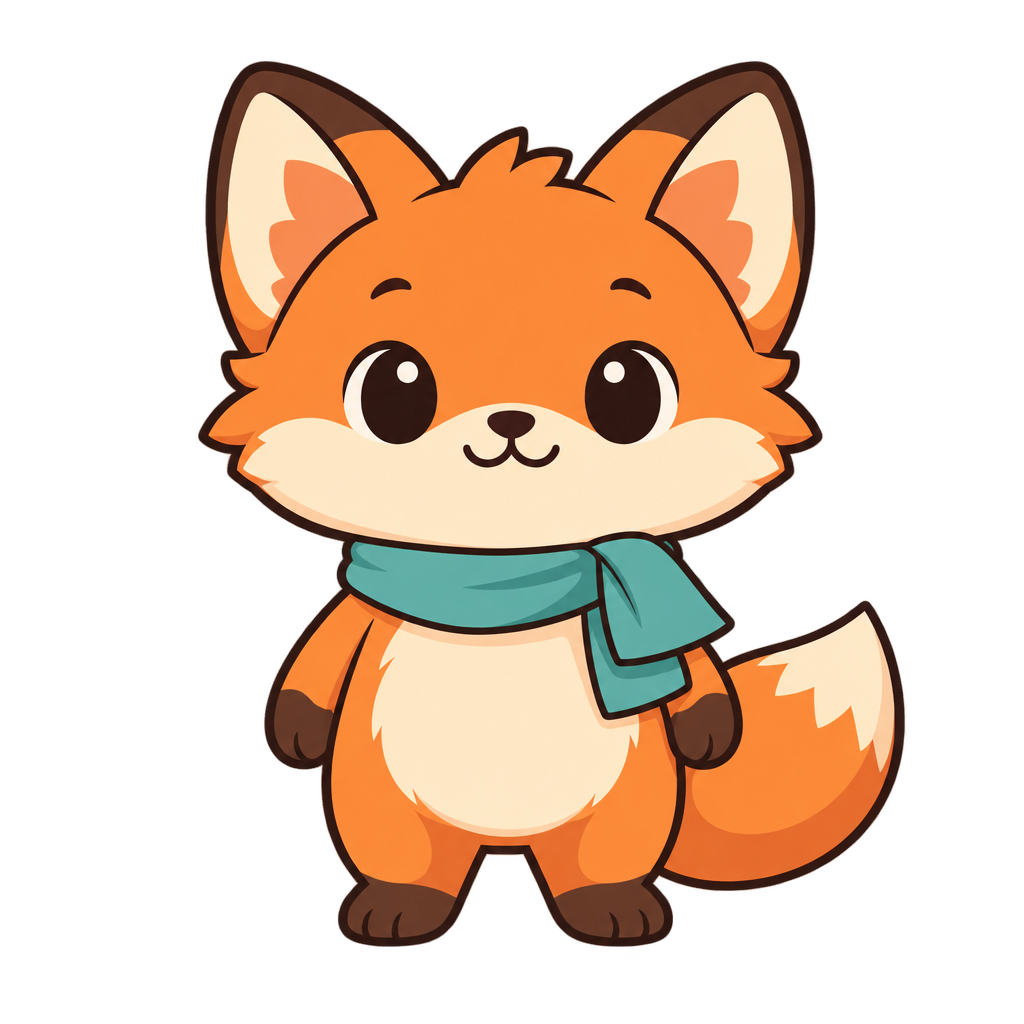
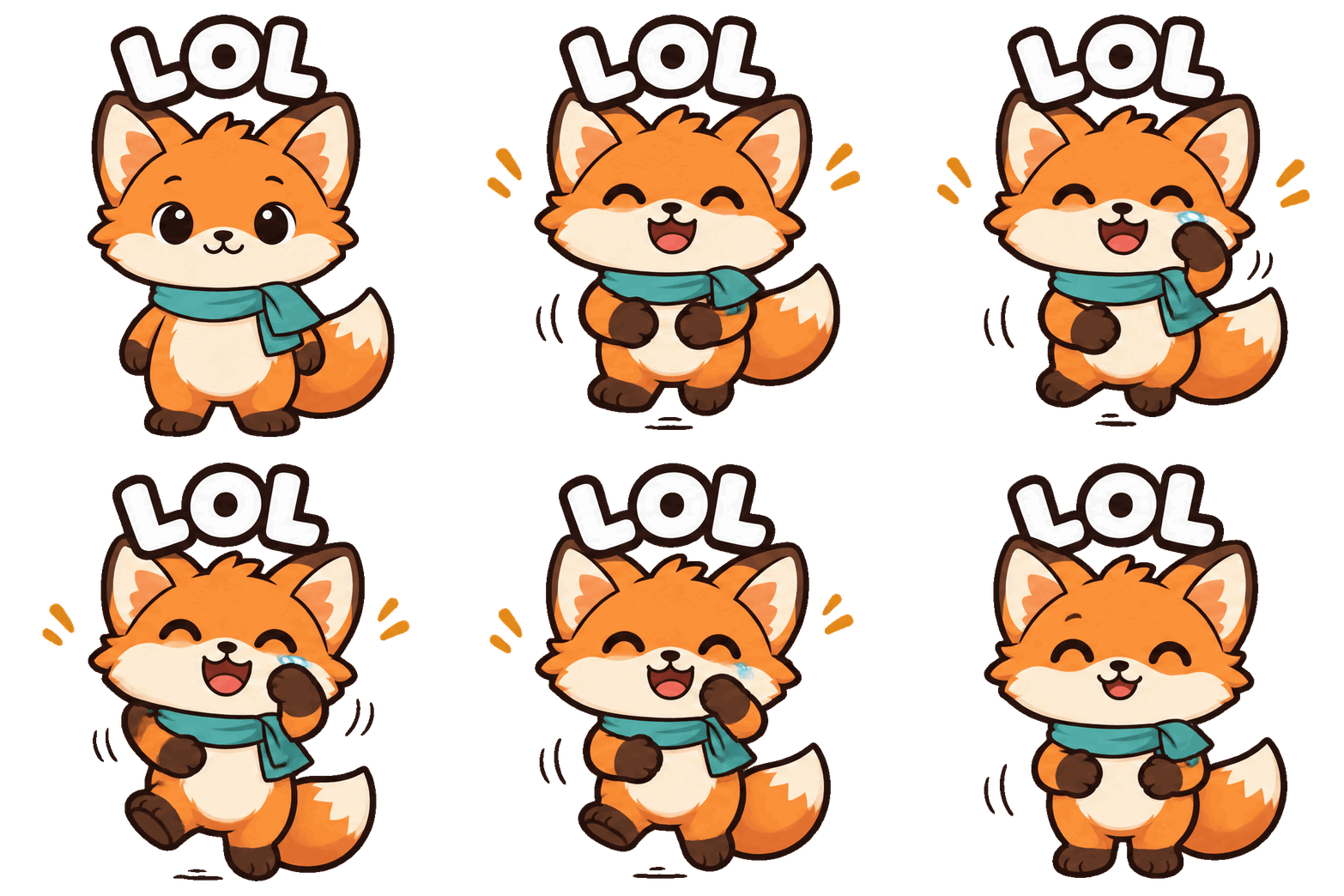
Our example pack, made on varg with gpt_image_2_6 (2026-11-04/05), from the mascot still
Pip:
LOL and
THANKS! (6 frames of
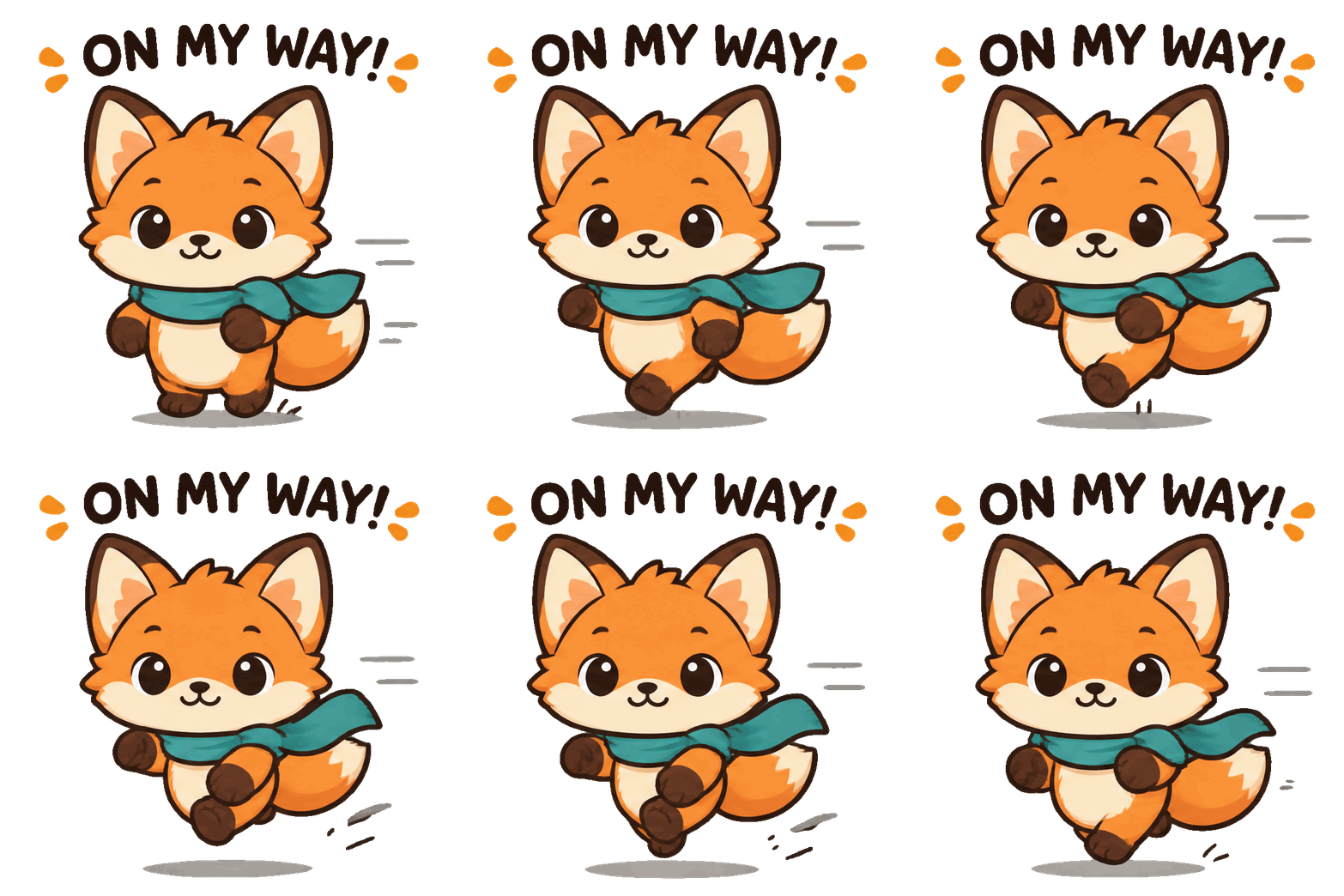
768×768, 160 ms, transparent) and one failure,
ON MY WAY! (three
words garble between frames).

1. Plan the pack
- 6-8 emotions. LINE sets have 8, 16 or 24 stickers; WhatsApp packs 3-30; WeChat albums 8-24 (section 4). Eight covers every platform's minimum.
- One short word per sticker. One word held in every frame ("LOL", "THANKS!"); three words broke (measured). @goan999999's captions were 1-3 Chinese characters.
- One simple motion per emotion, one that reads at 160 px: a wave, a nod, a bow, a jump, a shake.
- The first frame is the whole sticker. WhatsApp "ends the animation on the first frame after looping", and LINE shows the first frame as the store image (section 4).
A starter set (word, motion):
| Word | Motion |
|---|---|
| HI | waves one hand twice |
| OK | nods once and gives a thumbs up |
| LOVE | makes a heart with both hands, a small heart pops up |
| LOL | laughs, shoulders bounce |
| THANKS! | bows with palms together |
| GO! | pumps a fist |
| SORRY | bows the head, ears or shoulders drop |
| BYE | waves and steps aside |
@goan999999's set, for comparison: 嗨 "hi" (waves), 收到 "got it" (nods, thumbs up), 爱你 "love you" (finger heart), 哈哈哈 "hahaha" (laughs to tears), 加油 "you got this" (fist), 谢谢 "thanks" (palms together, bow).
2. Make it
- The character still. From a photo: an edit with the photo in
files, e.g. "A chibi sticker character of the person in the photo: big head, small body, same hairstyle, face shape, glasses and clothes. Full body, front view, neutral happy face, thick clean outline, flat colours. Transparent background." Settings:aspect_ratio: "1:1",background: "transparent",output_format: "png". Use a photo only of someone who agreed to it. Approve this still before anything else. 6-7 credits. - Upload the still (
create_uploadorPOST /v2/files) to get itshttps://s3.varg.ai/…URL. - One GIF per emotion, always from the same still:
call_tool({
  "tool": "image",
  "input": {
    "model": "gpt_image_2_6",
    "prompt": "Animated sticker of the character from the reference image. Emotion: thankful. Motion: bows with palms together, then comes back up. 6 frames; the first and last frame show the same pose, so the loop has no jump. Same size and position in every frame, fixed camera. Caption above the head in bold rounded letters with a white outline: \"THANKS!\" The caption does not move or change. Transparent background. Flat colours, thick clean outline.",
    "files": [{"url": "https://s3.varg.ai/files/194b94d0-58ff-4e8b-91de-4f1959d04013/file_5ed17708b8d2.png"}],
    "provider_options": {"fal": {
      "output_format": "gif",
      "frame_count": 6,
      "image_size": {"width": 768, "height": 768},
      "frame_duration_ms": 160,
      "background": "transparent",
      "quality": "high"
    }}
  },
  "wait": true
})
6-7 credits each (measured 2026-11-05). For 2-8 frames fal always draws an eight-cell sheet
(gpt-image-gif section 1), so 6-8 frames cost no more than 4.
4. Check every sticker: magick sticker.gif -coalesce +append strip.png. Reject a sticker whose
caption changes letters, whose face changes, or whose last frame jumps to the first.
5. Export: bash scripts/export.sh sticker.gif all (section 5).
@goan999999's prompt (ChatGPT, published in the reply), original:
用我上传的照片做一组 Q 版微信表情包,保留本人的发型、脸型、眼镜和服装特点,所有表情都要像同一个人

做6款:嗨(挥手)、收到(点头点赞)、爱你(比心)、哈哈哈(笑到流泪)、加油(握拳)、谢谢(合掌鞠躬)

每款单独画一张2×2的连续动作图,共4帧,按左上、右上、左下、右下播放。固定人物大小和位置,字幕不要移动,白色背景,不要边框和序号。动作要有变化,最后一帧能接回第一帧

画好后,分别合成320×320的GIF,每帧200毫秒,无限循环。给我6个独立文件,再打一个压缩包。
English translation:
Use the photo I uploaded to make a set of chibi WeChat stickers. Keep my hairstyle, face shape,
glasses and clothes; every sticker must look like the same person.

Make 6: 嗨 "hi" (waving), 收到 "got it" (nod and thumbs up), 爱你 "love you" (finger heart),
哈哈哈 "hahaha" (laughing to tears), 加油 "you got this" (clenched fist), 谢谢 "thanks" (palms
together, bow).

Draw each one as its own 2×2 sheet of consecutive poses, 4 frames, played top-left, top-right,
bottom-left, bottom-right. Keep the figure's size and position fixed, don't move the caption, white
background, no borders or numbers. The motion should change, and the last frame should lead back to
the first.

When they are drawn, combine each into a 320×320 GIF, 200 ms per frame, looping forever. Give me 6
separate files, and also a zip.
On varg you skip the hand-made 2×2 sheet: output_format: "gif" draws and assembles the frames. Keep
the rest: same person, fixed size and position, a caption that does not move, last frame back to the
first. The author's warning: in ChatGPT, asking for "a GIF" sometimes returned one still with motion
lines, and in their set "the hair and the text jump a little".
@Gorden_Sun's one-line version: 「使用这个角色,生成一张GIF图,内容是她吃大白米饭,图片里有文字:真香!」 "Use this character and make a GIF of her eating a big bowl of white rice, with the text in the picture: 真香!" ("so good!").
3. Failure → fix
| What you see | Fix |
|---|---|
| Caption letters change between frames ("ON MY WAY!") | One word, or no caption in the GIF and the word added later as a fixed layer |
| Hair and caption jitter (@goan999999) | "The caption does not move or change"; smaller motion; regenerate that one sticker |
| The character drifts across the pack | Every GIF from the same approved still in files; same prompt skeleton, change only emotion, motion and word |
| A white fringe around the character on a dark chat | GIF transparency is on/off per pixel. Thick dark outline in the prompt; for LINE and Discord the script writes APNG, which keeps the edges as they are in the GIF |
| LINE check fails "needs a transparent background" | Regenerate with background: "transparent" |
| WhatsApp shows a mid-motion pose when the loop stops | Make frame 1 the full resting pose (loop-lock lines) |
4. Platform specs (checked 2026-11-05 on the official docs)
| Platform | Format | Size | Max file | Max length | Frames, fps | Pack | Source |
|---|---|---|---|---|---|---|---|
| Telegram (video sticker) | WEBM, VP9, no audio | one side exactly 512 px, the other ≤ 512 | 256 KB | 3 s | ≤ 30 fps; "should be looped" | — | core.telegram.org/stickers |
| WhatsApp (animated) | WebP | exactly 512×512 | 500 KB | 10 s | frames ≥ 8 ms; ends on frame 1 | 3-30 stickers, all animated or all static; tray icon 96×96 PNG ≤ 50 KB; up to 3 emoji per sticker | WhatsApp/stickers Android README |
| LINE (animation stickers) | APNG (.png) | ≤ 320×270, width or height ≥ 270 | 1 MB per image | 4 s per sticker, all loops included | 5-20 frames, 1-4 loops | 8, 16 or 24; main image 240×240 APNG; chat tab 96×74 PNG; transparent background, RGB | creator.line.me animation sticker guidelines |
| WeChat (表情开放平台) | GIF | 240×240 | 500 KB | not stated | "循环播放,节奏流畅不卡顿" (loop, smooth) | 8-24 per album, all animated or all static; cover 240×240 PNG ≤ 500 KB, transparent; chat icon 50×50 PNG ≤ 100 KB, transparent; banner 750×400 | sticker.weixin.qq.com making specifications |
| Discord (server sticker) | PNG, APNG, GIF (Lottie only on verified or partnered servers) | 320×320 | 512 KiB | 5 s | — | — | Discord developer docs, Sticker |
| Slack (custom emoji) | GIF, PNG, JPG | square; no pixel size given | "under 128KB … work best" | not stated | up to 50 frames | — | Slack help: custom emoji |
How each was checked, and what we could not verify:
- Telegram, WhatsApp, LINE, Slack: read on the linked page with WebFetch on 2026-11-05. Telegram "animated stickers" (.TGS) are Lottie vectors, a different format a GIF cannot become; this skill makes video stickers.
- WeChat: the guide page is built by JavaScript and returned empty to WebFetch, so we read the specification text out of the page's own script bundle on sticker.weixin.qq.com (2026-11-05). The same page says single stickers (表情单品) "暂不支持包含推广形象、推广信息,或人物肖像(如人像照片、肖像画等)" ("do not yet support promotional figures, promotional information, or portraits of people, such as photos or painted portraits"). A chibi drawn from your photo may count as a portrait; we could not verify how reviewers treat it.
- Discord: the help-center sticker FAQ returned HTTP 403, so the numbers come from the developer docs' "Create Guild Sticker" section. How many sticker slots a server has was not verified.
- Slack names no pixel size; the script uses 128×128.
- KB: the script treats 1 KB as 1,000 bytes, so files pass under either reading.
5. Export: scripts/export.sh
bash scripts/export.sh thanks.gif all            # every platform -> thanks_stickers/
bash scripts/export.sh thanks.gif line out/      # one platform, chosen folder
What it writes per platform, and what it does to fit:
| Platform | Files | How it fits the limits |
|---|---|---|
| telegram | NAME.telegram.webm |
VP9 with alpha, 30 fps, cut at 3 s, CRF raised step by step until ≤ 256 KB |
NAME.whatsapp.webp, NAME.whatsapp_tray.png (96×96) |
512×512 canvas, WebP quality lowered step by step until ≤ 500 KB | |
| line | NAME.line.png (APNG), NAME.line_main.png (240×240 APNG), NAME.line_tab.png (96×74) |
fits 320×270; more than 20 frames → every 2nd (3rd…) frame; fewer than 5 → the loop repeated inside the file; plays = as many as fit in 4 s (max 4), sped up if one loop is longer than 4 s; palette APNG if over 1 MB |
NAME.wechat.gif, NAME.wechat_cover.png (240×240), NAME.wechat_icon.png (50×50) |
240×240, fewer colours (256 → 32) until ≤ 500 KB | |
| discord | NAME.discord.png (APNG) |
320×320; palette APNG, then a GIF, if over 512 KiB; sped up if longer than 5 s |
| slack | NAME.slack.gif |
128×128, fewer colours until < 128 KB |
Every output is re-read and checked (size, pixels, length, frames, fps, audio); the script prints PASS or FAIL per line and exits 1 if anything fails. It strips metadata, so the C2PA content credentials the model embeds are not carried over.
Tested 2026-11-05 on the LOL sticker (768×768, 6 frames, 960 ms loop, 444 KB), all six platforms passed:
| Platform | Result |
|---|---|
| telegram | 512×512 WEBM, 133 KB, 0.97 s, 30 fps, no audio, alpha kept |
| 512×512 WebP, 130 KB; tray 14 KB | |
| line | 270×270 APNG, 6 frames, 4 plays = 3.84 s, 398 KB |
| 240×240 GIF, 87 KB; cover 54 KB, icon 5 KB | |
| discord | 320×320 APNG, 505 KB |
| slack | 128×128 GIF, 37 KB |
The LINE frame rules were also tested on made-up GIFs: 32 frames → 16, 3 frames → 6, an 8 s loop → 4 s. The mascot wave GIF (white background) fails the LINE check as it should.
Then upload with each platform's own tool: Telegram's @Stickers bot (named on core.telegram.org/stickers), an app built on the WhatsApp/stickers sample, LINE Creators Market, sticker.weixin.qq.com, the Discord server's sticker settings, Slack's custom emoji page.
Related skills
gpt-image-gif (GIF rules, loop lock, WebP/MP4 for the web),
gpt-image-2-6 (model guide, prices), gpt-image-markup-edit
(fix the base still before you animate it), varg-character-design (designing the character itself).