
Looping GIFs with GPT Image 2.6
GPT Image 2.6 returns a real animated GIF when you set output_format: "gif". It draws all frames as
one sprite sheet, then cuts the sheet into frames
(@op7418 on ChatGPT; the API errors below show the
same sheet). That one fact explains most of what follows: the frames share one image's pixel budget,
and one image's price. Model guide and prices: gpt-image-2-6.
Examples made on varg with gpt_image_2_6 (2026-11-04/05):
| Example | Made from | Settings |
|---|---|---|
| Paper boat on a night sea | a prompt only | 9 frames, default 4:3 (1024×768), 150 ms |
| Mascot "Pip" waves and hops | the approved still in files |
9 frames of 768×768, 140 ms |
| Sticker "LOL" | the same still | 6 frames of 768×768, 160 ms, transparent |
| Failure: "ON MY WAY!" | the same still | three words garbled from frame to frame |
| Ball bounce, 12 frames | a prompt only | 12 frames of 768×768, quality: low, 3 credits, default 200 ms |

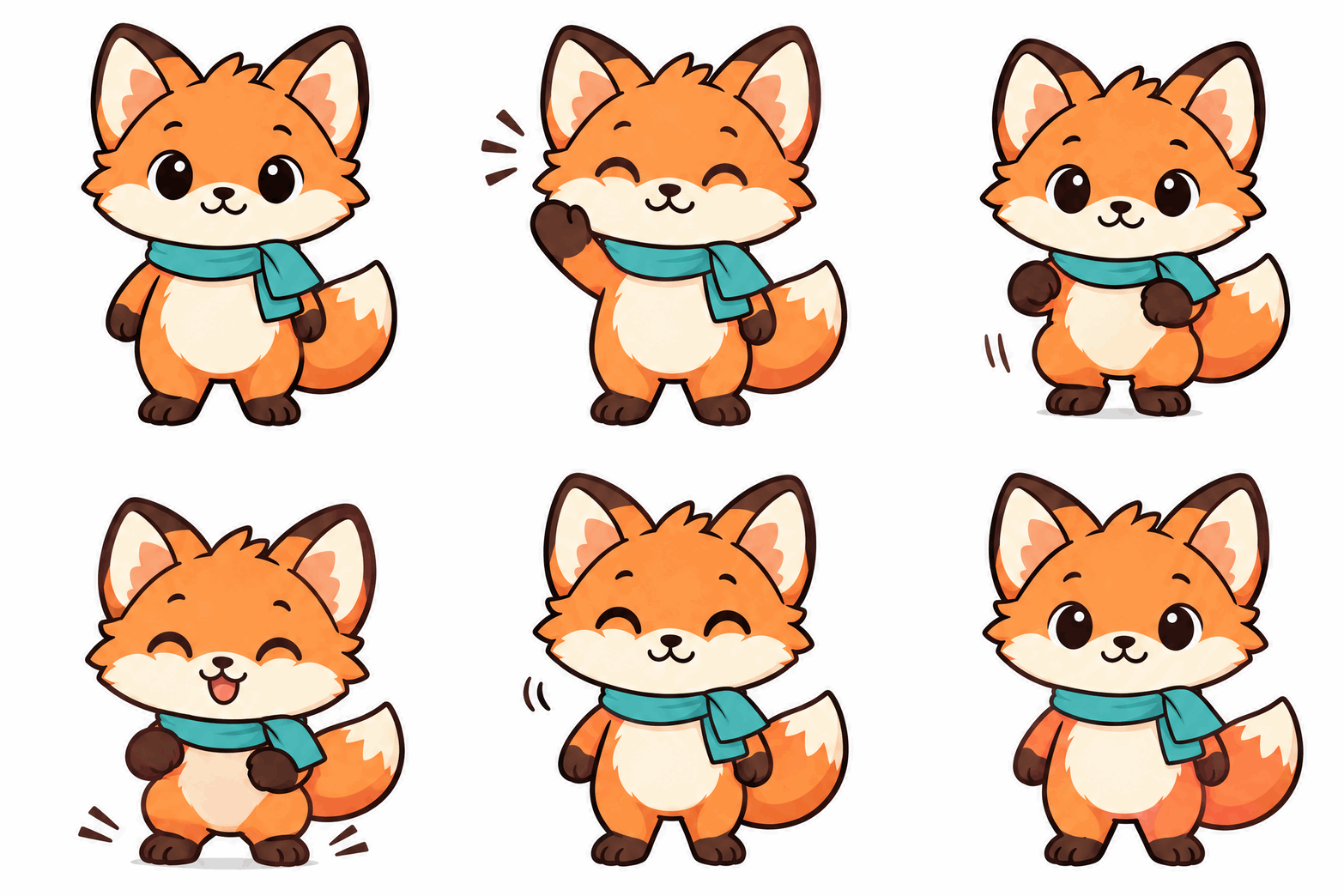



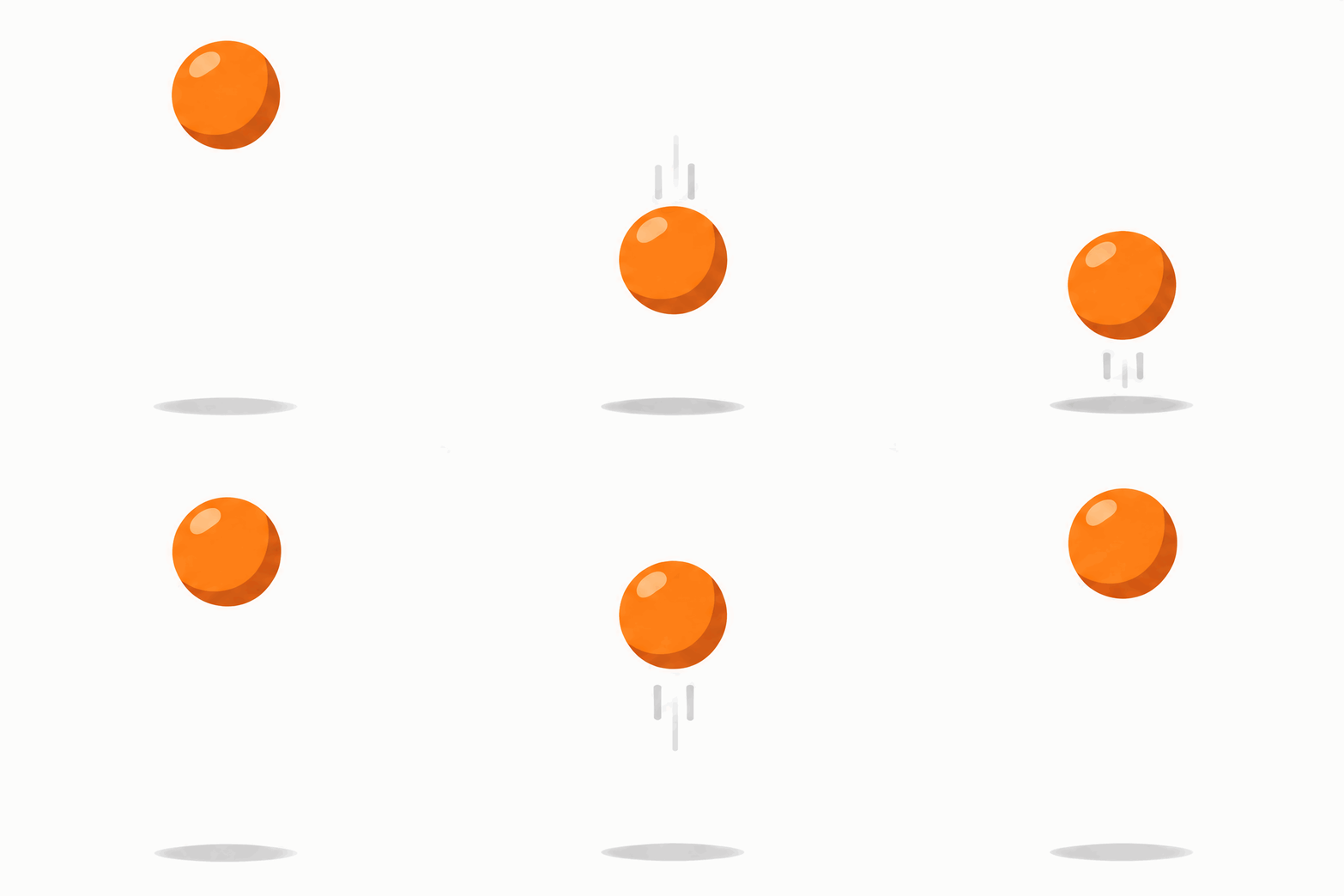
Frame times are read from the files.
1. The pixel budget (measured 2026-11-05 on varg)
image_size (or the aspect_ratio preset) sets the size of each frame. fal lays the frames out
on a grid and checks the whole sheet:
- the sheet's longest edge must be ≤ 3840 px,
- the sheet must be ≤ 8,294,400 px (3840×2160), and so must frames × frame area,
- the sheet must be ≥ 655,360 px (9 frames of 256×256 were "below the minimum pixel budget", @KakiponzuX),
- frame sides are multiples of 16.
Which grids fal tries, read from its error messages (we sent oversize requests, which fail for free):
| Frames | Grids fal tries | Measured |
|---|---|---|
| 2-8 | 4×2 or 2×4 (eight cells, even for 2 frames) | 2, 4, 6, 8 |
| 9 | 3×3 | 9 |
| 12 | 4×3, 3×4 or 4×4 | 12 |
| 16 | 4×4 | 16 |
| 10, 11, 13-15 | not measured |
So a square frame can be at most 960 px for 2-9 frames (four or three cells across 3840 px), 816 px for 12 and 720 px for 16. 9 frames of 960² and 16 frames of 720² both worked: their sheets are exactly 8,294,400 px, so the limit includes the boundary. What fits:
| Frames | Largest square frame | Worked (measured) | Rejected (measured) | 4:3 preset (1024×768) |
16:9 preset |
1:1 preset (1024×1024) |
|---|---|---|---|---|---|---|
| 2 | 960 (computed) | — | 2048² | fits (2×4 grid, computed) | fits (computed) | no (4096 px sheet, computed) |
| 4 | 960 (computed) | — | 2048² | fits (computed) | fits (computed) | no (computed) |
| 6 | 960 (computed) | 768² | 1024² | fits (computed) | fits (computed) | no |
| 9 | 960 (measured) | 960², 768², 1024×768, 512² (@KakiponzuX) | 1024², 256² (@KakiponzuX) | fits | fits (computed) | no |
| 12 | 816 (computed) | 768² | 1024² | no (computed) | fits (3×4 grid, computed) | no |
| 16 | 720 (measured) | 720² | 976×528 (sheet 3904 px wide) | no (computed) | no (computed) | no (computed) |
"Computed" follows from the rules above; we did not run it. Safe defaults: image_size: {"width": 768, "height": 768} for 2-12 frames, 720×720 or smaller for 16, or the default 4:3 preset for up to 9
frames. num_images above 1 splits the same budget across all outputs (fal).
The error text names the sheet it tried, e.g. No supported sheet fits 6 GIF frames at size '1024x1024'. Invalid size '4096x2048'. The longest edge must be less than or equal to 3840. Divide the
sheet by the frame size to see the grid, then shrink the frame.
2. Workflow: approve a still first
- Make or pick the still. For a mascot or logo, one clean still on a plain or transparent
background (
background: "transparent", PNG). Approve it before any GIF: when the GIF is made from the same still every time, the character and colours drift less (@yyf940515: without a saved reference, faces and colours drift after 5-6 GIFs). 6 credits. - Upload it (
create_uploadon the MCP, orPOST /v2/files), so you have anhttps://s3.varg.ai/…URL. The upload tools list PNG, JPEG and WebP for images, not GIF. - Make the GIF from the still on the edit route: the still in
files,output_format: "gif", a frame count and a size from the table, the motion prompt (section 3). 6-7 credits. - Check the frames, not just the preview:
magick in.gif -coalesce +append strip.pngputs them side by side. Look for a changing face, moving text, a boiling background and a jump from the last frame to the first. - Fix one thing and rerun: smaller motion, a fixed background, fewer words. Keep the rest of the prompt identical.
- Convert for the web:
scripts/gif2web.sh in.gif(section 6).
The call (MCP):
call_tool({
  "tool": "image",
  "input": {
    "model": "gpt_image_2_6",
    "prompt": "Animate the character from the reference image. Motion: Pip waves its right paw twice, then does one small hop. 9 frames. The first and last frame show the same resting pose, so the loop has no jump. Same size, position and ground line in every frame; fixed camera, no zoom. Plain white background that stays the same in every frame. Flat colours, no text.",
    "files": [{"url": "https://s3.varg.ai/files/194b94d0-58ff-4e8b-91de-4f1959d04013/file_5ed17708b8d2.png"}],
    "provider_options": {"fal": {
      "output_format": "gif",
      "frame_count": 9,
      "image_size": {"width": 768, "height": 768},
      "frame_duration_ms": 140,
      "quality": "high"
    }}
  },
  "wait": true
})
Over REST the same input goes to POST https://api.varg.ai/v2/image (see gpt-image-2-6
section 6). Text only (no files) works the same way on the text-to-image route.
3. Prompt: the motion and the loop lock
OpenAI's advice: "Start with the artwork and describe the motion you want. Try a wave, a double take, or a victory dance that loops back to the starting pose" (@OpenAIDevs).
Template:
Animate the [character / logo / object] from the reference image.
Motion: [ONE simple action: waves twice / blinks and sways / bounces once / turns its head and back].
[N] frames.
The first and last frame show the same resting pose, so the loop has no jump.
Same size, position and ground line in every frame; fixed camera, no zoom, no camera move.
[Plain white | transparent] background that stays the same in every frame.
Flat colours, no gradients, no text.
The loop-lock lines come from people who measured the difference: writing "loop first/last frame identical + lock character proportions" into the prompt made API GIFs much better for @freeman1266; @goan999999 asks for "固定人物大小和位置" (keep the figure's size and position fixed) and "最后一帧能接回第一帧" (the last frame can join back to the first) (prompt).
Short motions people liked:
- 「まばたきして、ふわっと揺れて」 "blink and sway softly" (@IHayato)
- 「このキャラの喜怒哀楽のGIFよろ」 "GIFs of this character's joy, anger, sorrow and fun, please" (@tetumemo): four GIFs, one emotion each
- a wave, a double take, a victory dance (OpenAI, above)
reasoning_effort matters more for motion than for stills: at low complexity Flare skipped the rotation
frames of a backflip; high was smoother (@gabrielchua,
an OpenAI engineer). Use reasoning_effort: "high" for GIFs.
4. Timing, size and background
frame_duration_ms: 20-2000, "rounded to 10 ms" (fal). Default 200 ms (measured: our 12-frame GIF without it played at 200 ms). Loop length = frames × duration: 9 × 200 ms = 1.8 s. 120-160 ms reads as lively, 200 ms as calm. A GIF's frame delay is stored in 1/100 s, so use multiples of 10 ms.- Frames: 6-9 is enough for a wave or a blink. 2-8 frames all use the same eight-cell sheet, so 8 frames take no more pixels than 2. Above 9, each frame gets smaller (section 1), and more frames do not help if the motion itself is choppy.
background: "transparent"works: our sticker GIFs came back with 54-62% transparent pixels. GIF has 1-bit alpha, so edges are hard; on dark chats a white fringe can show. If you need soft edges, make a PNG sprite sheet instead and assemble it yourself (gpt-image-sprite-sheet).- Colours: a GIF frame has 256 colours, so gradients and soft edges band; flat-colour characters work best (@pyy_invest).
5. Failure → fix
| What you see | Fix |
|---|---|
| A sentence in the frames garbles ("ON MY WAY!" broke; "LOL" and "THANKS!" held; measured) | One short word per GIF, or no text in the GIF and add the caption later |
| A still image with motion lines instead of an animation (ChatGPT, @goan999999) | In the API, output_format: "gif" always returns frames; in ChatGPT ask for the frames first |
| Fast or complex motion is wrong: a 360 kickflip (@justynclark), a backflip at low effort (@gabrielchua) | One slow action; reasoning_effort: "high"; for real action use a video model |
| Choppy motion, few in-between poses (@798145343h; our boat and wave GIFs) | Smaller motion over the same frame count; or accept it as a sticker look |
| The background boils, clouds and feathers change every frame (@pigeon__s) | Plain or transparent background, "stays the same in every frame" |
| Still and moving parts in one GIF break (@AM09_21) | Animate one subject; for games make each sprite separately |
| An illustration turns into a grainy stock-photo GIF (@goaimode) | Attach the approved still in files and name the style |
| Pixel art fails (@Angaisb_) | Flat cartoon frames, pixelate afterwards |
| A dance prompt blocked by output moderation (@KakiponzuX) | Reword the motion; a wave passed |
No supported sheet fits N GIF frames |
Smaller image_size or fewer frames (section 1) |
GIF frames exceed the total request pixel budget |
frames × frame area is over 8,294,400 px: shrink the frames |
6. Post-processing: scripts/gif2web.sh
A GIF is the biggest way to ship an animation. scripts/gif2web.sh writes an animated WebP (keeps
transparency and frame times) and an H.264 MP4 (the loop played N times, alpha flattened onto a
colour), then prints a size report.
bash scripts/gif2web.sh pip_wave.gif                 # -> pip_wave.webp + pip_wave.mp4 next to it
bash scripts/gif2web.sh lol.gif out/ --loops 1 --bg 0x1E1E1E --quality 70
Tested 2026-11-05 on our examples (gif2webp for the WebP, --loops 3, crf 23):
| GIF | GIF size | WebP | MP4 (3 loops) |
|---|---|---|---|
| boat, 9 × 1024×768 | 885 KB | 214 KB (24%) | 415 KB (47%) |
| mascot wave, 9 × 768² | 841 KB | 266 KB (32%) | 467 KB (55%) |
| sticker LOL, 6 × 768², transparent | 433 KB | 167 KB (39%) | 288 KB (66%); 98 KB for 1 loop |
@joseamijares measured WebP at 80-91% smaller than the GIF; ours came out 61-76% smaller at quality 80. Use the WebP on web pages, the MP4 for social posts and video editors, and keep the GIF for chats and tools that only take GIF.
The model's GIFs carry a C2PA content-credentials block (checked 2026-11-05); the WebP and MP4 do not. Keep the original if you need the provenance.
Tested
2026-11-05 on varg: the grid and budget errors in section 1 (free failed requests for 2, 4, 6, 8, 9, 12
and 16 frames), three GIFs at quality: low for 3 credits each (12 × 768², 16 × 720², 9 × 960²), the
default 200 ms frame time, and gif2web.sh on the boat, mascot and sticker GIFs (both the gif2webp and
the ImageMagick path).
Related skills
gpt-image-2-6 (model guide, prices), gpt-image-sticker-pack (one GIF per emotion, exported for six messengers), gpt-image-sprite-sheet (PNG sheets you slice yourself), gpt-image-markup-edit (fix the still before you animate it).