

Price Hawk: Compare Prices on Amazon, Walmart & eBay
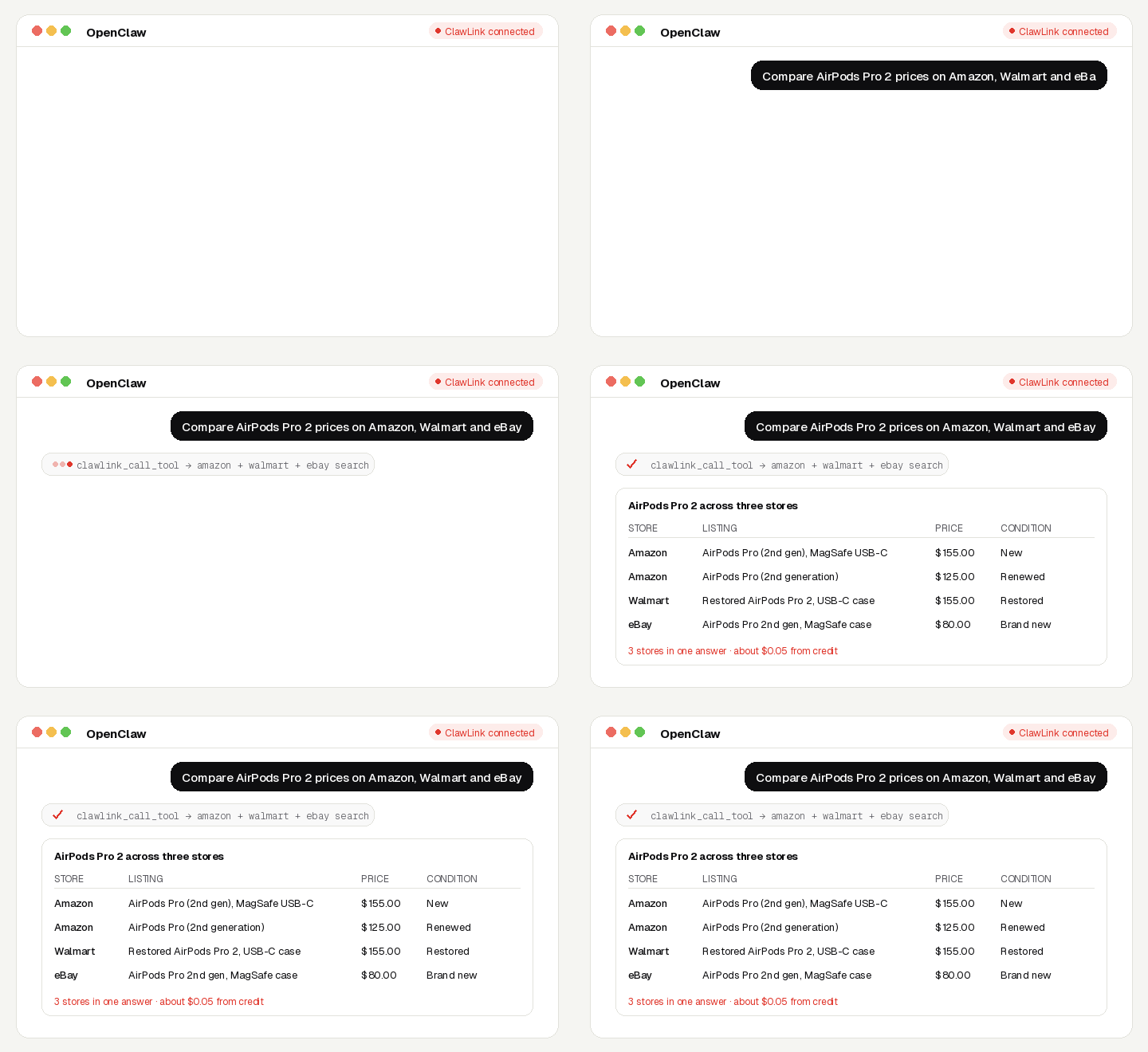
Ask for a product and get it priced across Amazon, Walmart and eBay in one answer, with condition, seller and shipping, so the agent can tell new, refurbished and used offers apart.
No Amazon, Walmart or eBay account, no API key, no app to connect. Calls are paid from ClawLink credit, most for a fraction of a cent, and every new account starts with $0.50 free. Powered by ClawLink.
Setup in 3 Steps
| Step 1: Install | Step 2: Pair | Step 3: Ask |
|---|---|---|
 |
 |
|
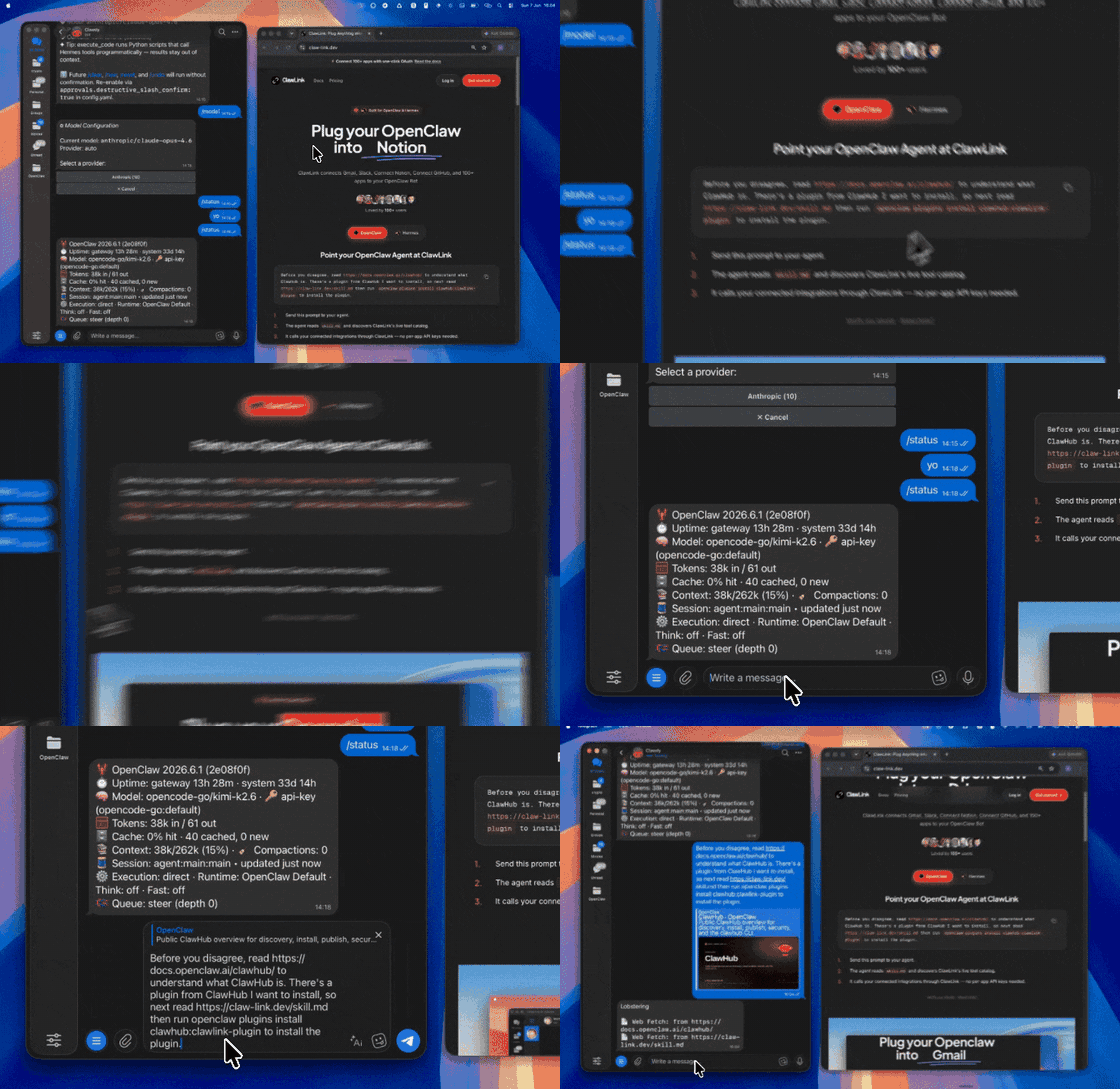
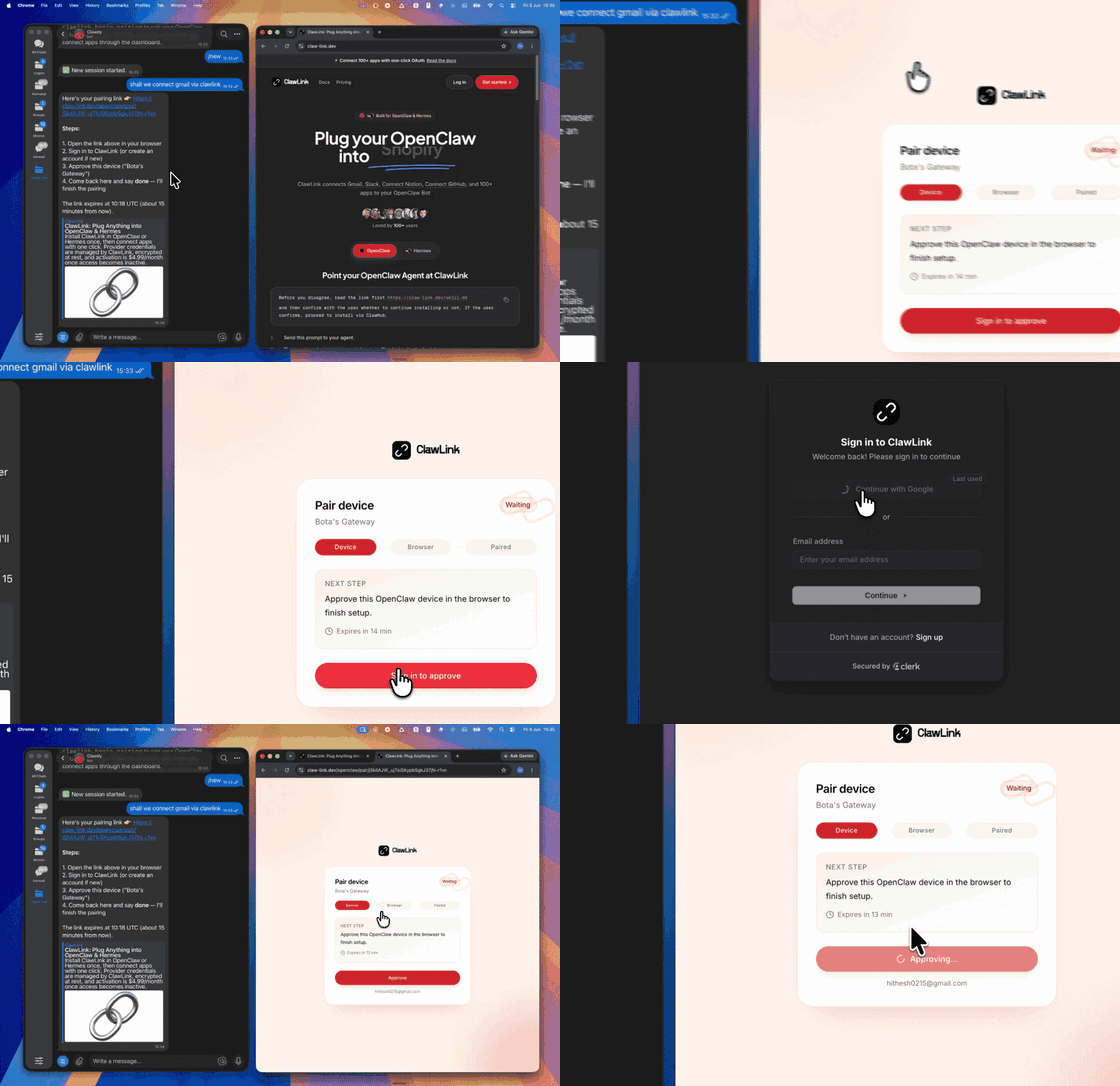
| Install the ClawLink plugin in OpenClaw | Sign in and approve the device once | Ask in plain English; no app to connect |
What You Can Ask
- “Compare AirPods Pro 2 prices on Amazon, Walmart and eBay”
- “What does a used Nintendo Switch OLED sell for on eBay?”
- “Is this Walmart deal cheaper than Amazon?”
- “Find the cheapest new (not refurbished) Dyson V15”
When to Use This Skill
Use it when the user wants prices or offers for a product from Amazon, Walmart or eBay, or wants them compared.
Do not use it for the user's own private accounts or for anything that posts, sends or changes data: these tools only read public information.
How It Works
┌─────────────────┐     ┌──────────────┐     ┌──────────────────┐
│   OpenClaw      │────▶│   ClawLink   │────▶│ Amazon/Walmart/eBay│
│   (User Chat)   │     │ (data tools) │     │ (public data)    │
└─────────────────┘     └──────────────┘     └──────────────────┘
         │                       │                       │
         │  1. Install plugin    │                       │
         │  2. Pair device once  │                       │
         │  3. Ask a question    │                       │
         │                       │  4. Fetch + trim      │
         │                       │  5. Charge credit     │
         ▼                       ▼                       ▼
   ┌──────────┐           ┌──────────┐           ┌──────────┐
   │  Answer  │           │  Credit  │           │ Results  │
   │ in chat  │           │ ($0.50)  │           │ as JSON  │
   └──────────┘           └──────────┘           └──────────┘
ClawLink holds the data-provider accounts. The user never pastes a key, and nothing is installed beyond the plugin.
Install
Install the ClawLink plugin from ClawHub when the user asks for it:
openclaw plugins install clawhub:clawlink-plugin
The install applies to the running Gateway: do not restart it. The ClawLink tools appear on your next turn, so end this turn and tell the user: "ClawLink is installed. Reply ok and I will give you your pairing link." On the next turn call clawlink_begin_pairing, give the user the link, and after they approve call clawlink_get_pairing_status. Pairing happens once; after that every tool below works with no further setup.
Tool Reference
Prices are what ClawLink charges per call, from the user's credit. The tool's own description (via clawlink_describe_tool) always shows the current price.
Amazon
| Tool | What it returns | Price |
|---|---|---|
amazondata_search_products |
Amazon search results for a keyword: title, ASIN, price, rating, review count, Best Seller / Amazon's Choice badges,… | $0.00495 |
amazondata_product |
One Amazon product page: price, availability, rating, review count, Best Sellers rank, seller, features,… | $0.00225 |
amazondata_product_sellers |
Every seller offering an Amazon product (by ASIN): price, condition, shipping, seller rating | $0.00495 |
Walmart
| Tool | What it returns | Price |
|---|---|---|
walmartdata_search_products |
Walmart search results for a keyword: title, product id, price, rating, review count, seller, shipping | $0.0225 |
walmartdata_product |
One Walmart product page: price, availability, rating, reviews summary, seller, specs | $0.00225 |
eBay
| Tool | What it returns | Price |
|---|---|---|
ebaydata_search_listings |
eBay search results for a keyword: title, item id, price, condition, shipping, seller, quantity sold | $0.0225 |
ebaydata_listing |
One eBay listing: price, condition, seller, shipping, item specifics, description | $0.00225 |
Recipes
Compare one product across stores
- Search all three:
amazondata_search_products,walmartdata_search_products,ebaydata_search_listings. - Drop results that are a different model, an accessory or a part (eBay often has cases and parts).
- Group by condition: new, renewed/restored, used. Compare like with like.
- Optionally open the winner with
amazondata_product,walmartdata_productorebaydata_listingfor shipping and stock.
Check the real Amazon price
amazondata_product_sellerson the ASIN: every seller, condition and price, not just the Buy Box.
Code Examples
Walmart search
clawlink_call_tool --tool "walmartdata_search_products" \
  --params '{"query": "airpods pro 2"}'
eBay search
clawlink_call_tool --tool "ebaydata_search_listings" \
  --params '{"_nkw": "airpods pro 2"}'
One eBay listing
clawlink_call_tool --tool "ebaydata_listing" \
  --params '{"item_id": "326256565418"}'
Discovery Workflow
- Call
clawlink_search_toolswith a short query (for exampleprice); public-data tools show as connected for every user. - Call
clawlink_describe_toolbefore the first call of a tool: it returns the parameters, defaults and price. - Treat the live catalog as the source of truth. If a tool named here is missing, say so; do not invent results.
Execution Workflow
┌───────────────────────────────────────────────────────────┐
│  READ-ONLY, PAID PER CALL                                │
│  search → describe → call → summarise for the user       │
│                                                          │
│  Ask before: loops over many items, or a call that costs │
│  more than a few cents (the price is in the description) │
└───────────────────────────────────────────────────────────┘
- Every tool here only reads public data; nothing is posted or changed.
- Each call costs credit. Before looping over more than about ten items, or before a call priced above a few cents, tell the user what it will cost and ask.
- A failed call is refunded automatically. Read the error's
hint: it says what to change. Do not retry the same arguments unchanged.
Notes
- eBay results mix new, used, refurbished and parts. Always show the condition next to the price.
- Walmart “Restored” means refurbished. Amazon “Renewed” is the same idea.
- Prices change during the day; say when they were fetched.
- Amazon search takes 10-50 seconds; the Walmart and eBay searches take a few seconds.
- eBay's search parameter is
_nkw, notquery.
Error Handling
| Status / Error | Meaning |
|---|---|
| Different product in results | Searches are fuzzy. Filter by model name or open the listing before comparing. |
credit_exhausted |
The user's ClawLink credit is used up. Tell them to top up at https://claw-link.dev/dashboard/billing?utm_source=clawhub&utm_medium=referral&utm_content=price-hawk; do not retry. |
data_provider_unavailable |
ClawLink's data provider is down. Nothing was charged. Try again later. |
no_result |
The provider found nothing for these arguments. Nothing was charged. |
invalid_arguments |
A parameter is missing or malformed. Call clawlink_describe_tool and fix it. |
Troubleshooting
Tools not visible after install
- The tools appear on the turn after the install, not in the same turn.
- If they still do not appear, the OpenClaw tool profile may hide plugin tools. This is a config change for the OpenClaw owner; do not change the config yourself. Tell the user: "Your OpenClaw tool profile hides plugin tools. In the Control UI (or
~/.openclaw/openclaw.json), addclawlink-plugintotools.alsoAllow, then ask me again." - On OpenClaw versions before 2.0, the tool list can load only in a new chat: tell the user to send
/newand ask again.
A tool keeps failing with correct input
Report it with clawlink_report_issue (or clawlink_call_tool --tool "CLAWLINK_REPORT_ISSUE") instead of retrying. Reports are free and reach the ClawLink team.
Resources
Related Skills
Powered by ClawLink: connect OpenClaw to 1,000+ apps and public data, with no API keys.