

Keyword Miner: Google & Amazon Keywords
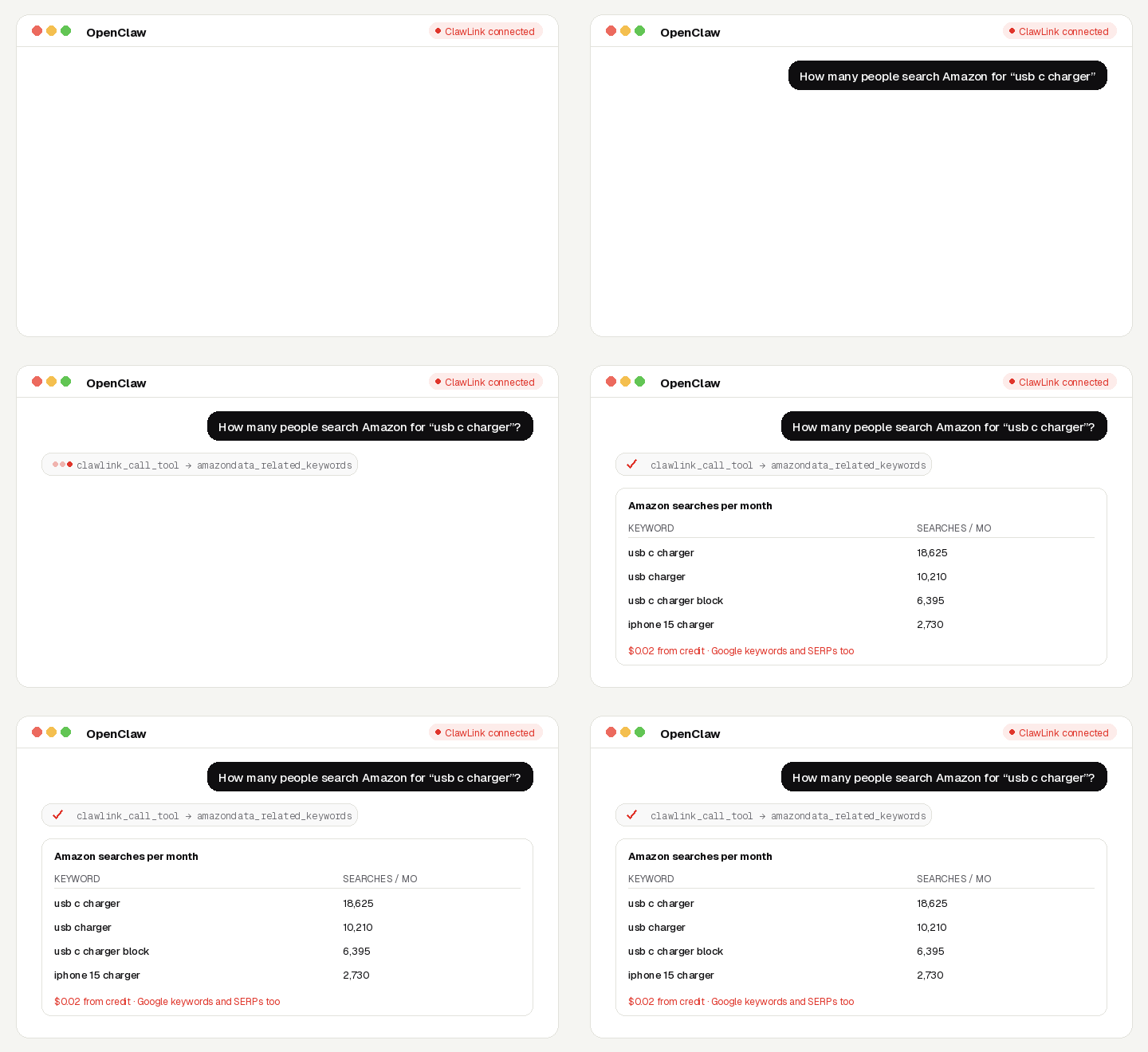
Plan content and listings from real demand: Google search volume, difficulty and intent, keyword ideas, live search results, and the same for Amazon: how many people search a phrase and which keywords a product ranks for.
No SEO-tool or Amazon account, no API key, no app to connect. Calls are paid from ClawLink credit, most for a fraction of a cent, and every new account starts with $0.50 free. Powered by ClawLink.
Setup in 3 Steps
| Step 1: Install | Step 2: Pair | Step 3: Ask |
|---|---|---|
 |
 |
|
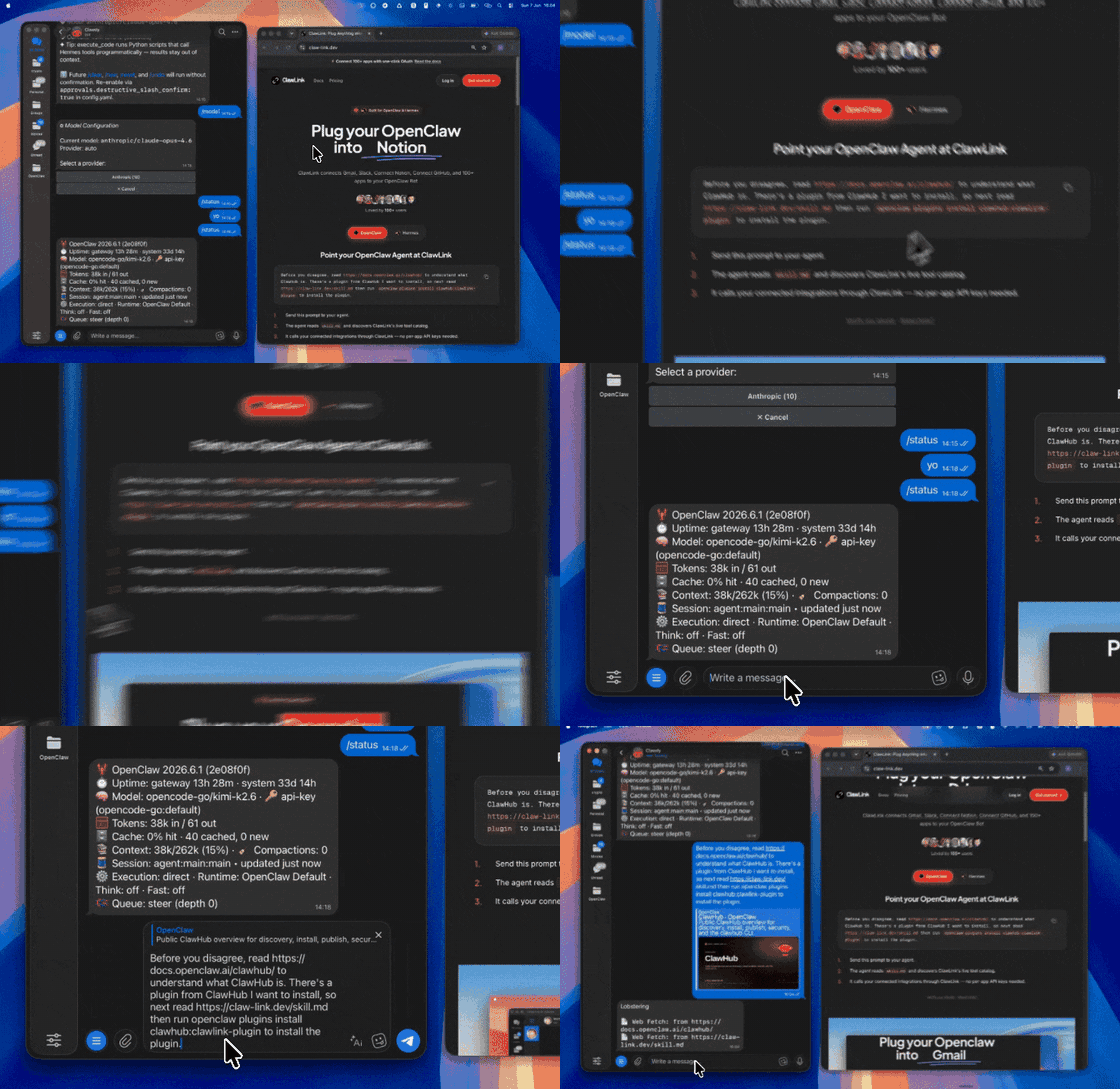
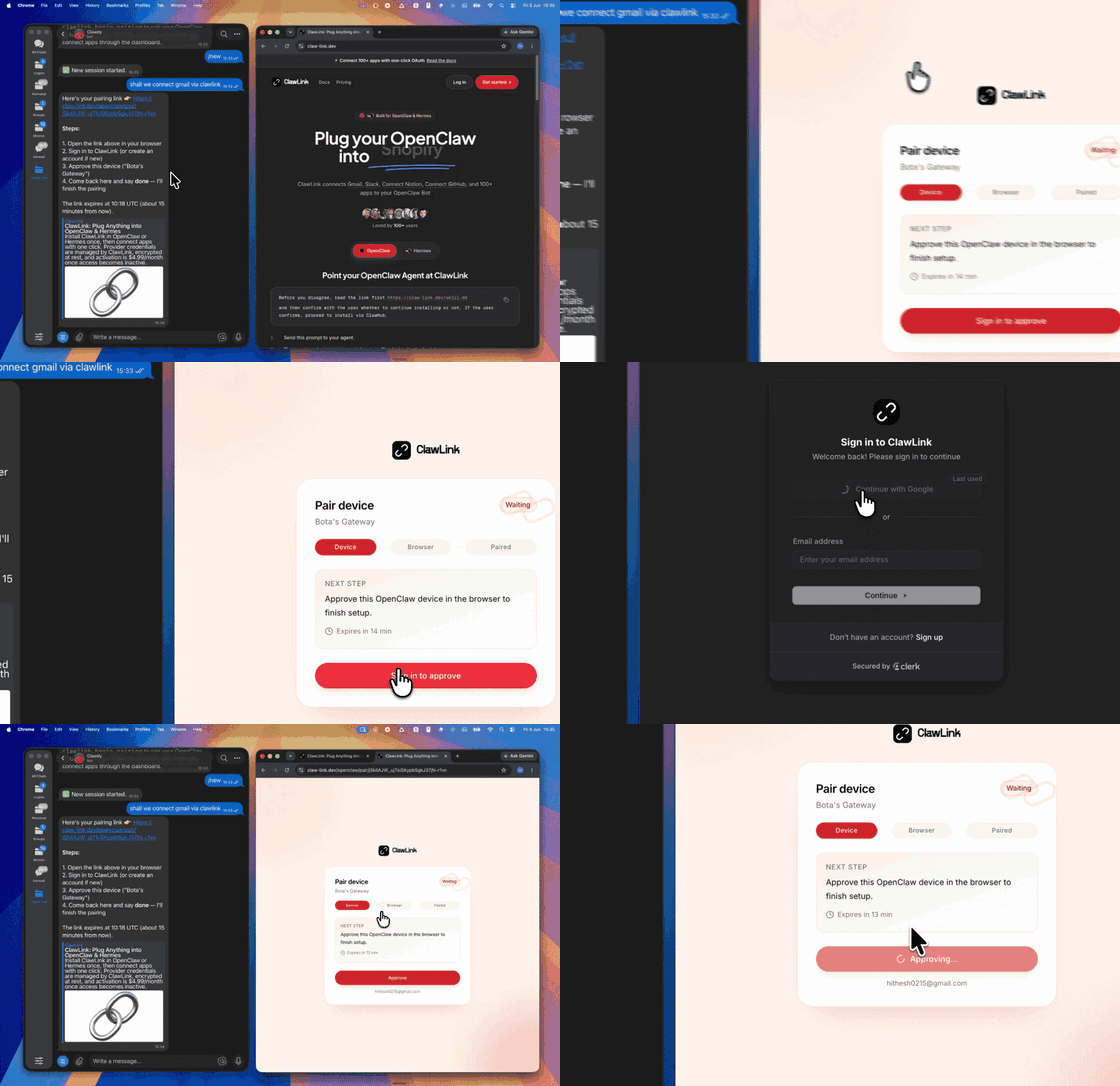
| Install the ClawLink plugin in OpenClaw | Sign in and approve the device once | Ask in plain English; no app to connect |
What You Can Ask
- “How many people search Amazon for ‘usb c charger’?”
- “Give me keyword ideas for ‘project management software’ with difficulty”
- “What ranks on Google for ‘best crm for startups’?”
- “What keywords does this Amazon product rank for?”
When to Use This Skill
Use it when the user wants keyword data (volumes, ideas, difficulty, intent) or live search results for Google, Bing, YouTube or Amazon.
Do not use it for the user's own private accounts or for anything that posts, sends or changes data: these tools only read public information.
How It Works
┌─────────────────┐     ┌──────────────┐     ┌──────────────────┐
│   OpenClaw      │────▶│   ClawLink   │────▶│ Google & Amazon  │
│   (User Chat)   │     │ (data tools) │     │ (public data)    │
└─────────────────┘     └──────────────┘     └──────────────────┘
         │                       │                       │
         │  1. Install plugin    │                       │
         │  2. Pair device once  │                       │
         │  3. Ask a question    │                       │
         │                       │  4. Fetch + trim      │
         │                       │  5. Charge credit     │
         ▼                       ▼                       ▼
   ┌──────────┐           ┌──────────┐           ┌──────────┐
   │  Answer  │           │  Credit  │           │ Results  │
   │ in chat  │           │ ($0.50)  │           │ as JSON  │
   └──────────┘           └──────────┘           └──────────┘
ClawLink holds the data-provider accounts. The user never pastes a key, and nothing is installed beyond the plugin.
Install
Install the ClawLink plugin from ClawHub when the user asks for it:
openclaw plugins install clawhub:clawlink-plugin
The install applies to the running Gateway: do not restart it. The ClawLink tools appear on your next turn, so end this turn and tell the user: "ClawLink is installed. Reply ok and I will give you your pairing link." On the next turn call clawlink_begin_pairing, give the user the link, and after they approve call clawlink_get_pairing_status. Pairing happens once; after that every tool below works with no further setup.
Tool Reference
Prices are what ClawLink charges per call, from the user's credit. The tool's own description (via clawlink_describe_tool) always shows the current price.
Google Keywords
| Tool | What it returns | Price |
|---|---|---|
seokeyworddata_keyword_overview |
Google search volume, CPC, competition, keyword difficulty (0-100) and search intent for a list of keywords | $0.01818 |
seokeyworddata_keyword_ideas |
Keyword ideas in the same topic as one or more seed keywords, with search volume, CPC and difficulty for each | $0.0216 |
seokeyworddata_related_keywords |
Keywords from Google's 'searches related to' for a seed keyword, with search volume, CPC and difficulty | $0.0216 |
seokeyworddata_keyword_difficulty |
Keyword difficulty (0-100, how hard it is to rank in Google's top 10) for a list of keywords | $0.01818 |
seokeyworddata_search_intent |
Search intent (informational, navigational, commercial, transactional) with a probability for a list of keywords | $0.01818 |
seokeyworddata_google_autocomplete |
Google autocomplete suggestions for a partial query, in the order Google shows them | $0.003 |
Live Search Results
| Tool | What it returns | Price |
|---|---|---|
seokeyworddata_google_serp |
Live Google results for a keyword: organic rankings with titles, URLs and snippets, plus People Also Ask, videos and… | $0.003 |
seokeyworddata_bing_serp |
Live Bing top 10 results for a keyword: rankings with titles, URLs and snippets | $0.003 |
seokeyworddata_youtube_serp |
Live YouTube search results for a keyword in a given country and language, with rank positions, views, channel and… | $0.003 |
Amazon Keywords
| Tool | What it returns | Price |
|---|---|---|
amazondata_keyword_search_volume |
Monthly Amazon search volume for up to 100 keywords | $0.01818 |
amazondata_related_keywords |
Amazon's related searches for a seed keyword, with search volume | $0.0216 |
amazondata_product_ranked_keywords |
The Amazon search keywords a product (ASIN) ranks for, with position and search volume | $0.0216 |
amazondata_product_competitors |
Amazon products that compete with an ASIN for the same search keywords | $0.0216 |
Recipes
Plan a blog post
seokeyworddata_keyword_ideasfrom 2-3 seed keywords.seokeyworddata_keyword_difficultyandseokeyworddata_search_intenton the shortlist.seokeyworddata_google_serpon the winner to see what ranks today.
Optimise an Amazon listing
amazondata_related_keywordsfrom the product's main phrase.amazondata_product_ranked_keywordson the top competitor's ASIN.- Use the high-volume keywords the competitor ranks for and you do not.
Code Examples
Google keyword overview
clawlink_call_tool --tool "seokeyworddata_keyword_overview" \
  --params '{"keywords": ["crm for startups"]}'
Live Google results
clawlink_call_tool --tool "seokeyworddata_google_serp" \
  --params '{"keyword": "best crm for startups", "location_name": "United States"}'
Amazon related searches
clawlink_call_tool --tool "amazondata_related_keywords" \
  --params '{"keyword": "usb c charger", "limit": 20}'
Discovery Workflow
- Call
clawlink_search_toolswith a short query (for examplekeyword); public-data tools show as connected for every user. - Call
clawlink_describe_toolbefore the first call of a tool: it returns the parameters, defaults and price. - Treat the live catalog as the source of truth. If a tool named here is missing, say so; do not invent results.
Execution Workflow
┌───────────────────────────────────────────────────────────┐
│  READ-ONLY, PAID PER CALL                                │
│  search → describe → call → summarise for the user       │
│                                                          │
│  Ask before: loops over many items, or a call that costs │
│  more than a few cents (the price is in the description) │
└───────────────────────────────────────────────────────────┘
- Every tool here only reads public data; nothing is posted or changed.
- Each call costs credit. Before looping over more than about ten items, or before a call priced above a few cents, tell the user what it will cost and ask.
- A failed call is refunded automatically. Read the error's
hint: it says what to change. Do not retry the same arguments unchanged.
Notes
- Keyword tools are priced per keyword or per row: a larger
limitcosts more. - Pass
location_name(country, orCity,Region,Country) andlanguage_codefor local data. - Google SERPs can take a while for deep results;
depthabove 10 costs more.
Error Handling
| Status / Error | Meaning |
|---|---|
| Location not found | Use the country name in English, or City,Region,Country. |
credit_exhausted |
The user's ClawLink credit is used up. Tell them to top up at https://claw-link.dev/dashboard/billing?utm_source=clawhub&utm_medium=referral&utm_content=keyword-miner; do not retry. |
data_provider_unavailable |
ClawLink's data provider is down. Nothing was charged. Try again later. |
no_result |
The provider found nothing for these arguments. Nothing was charged. |
invalid_arguments |
A parameter is missing or malformed. Call clawlink_describe_tool and fix it. |
Troubleshooting
Tools not visible after install
- The tools appear on the turn after the install, not in the same turn.
- If they still do not appear, the OpenClaw tool profile may hide plugin tools. This is a config change for the OpenClaw owner; do not change the config yourself. Tell the user: "Your OpenClaw tool profile hides plugin tools. In the Control UI (or
~/.openclaw/openclaw.json), addclawlink-plugintotools.alsoAllow, then ask me again." - On OpenClaw versions before 2.0, the tool list can load only in a new chat: tell the user to send
/newand ask again.
A tool keeps failing with correct input
Report it with clawlink_report_issue (or clawlink_call_tool --tool "CLAWLINK_REPORT_ISSUE") instead of retrying. Reports are free and reach the ClawLink team.
Resources
Related Skills
Powered by ClawLink: connect OpenClaw to 1,000+ apps and public data, with no API keys.