

Ad Spy: Competitor Ads on Meta, TikTok & LinkedIn
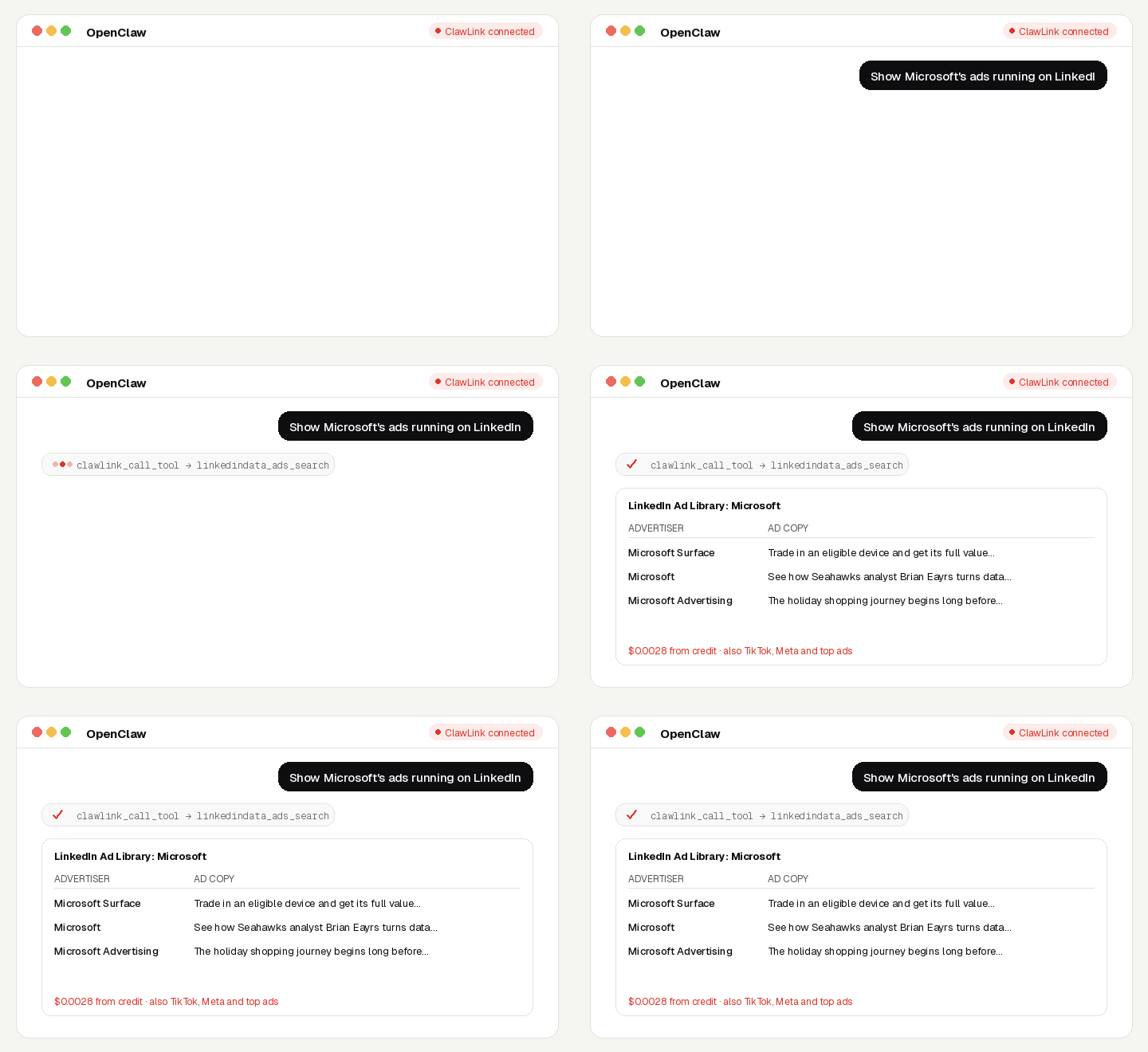
See what your competitors are running: search the public ad libraries of Meta, TikTok and LinkedIn by brand or keyword, open any ad's creative, copy and dates, transcribe video ads, and find TikTok's top-performing ads for a keyword.
No ad account, no API key, no app to connect. Calls are paid from ClawLink credit, most for a fraction of a cent, and every new account starts with $0.50 free. Powered by ClawLink.
Setup in 3 Steps
| Step 1: Install | Step 2: Pair | Step 3: Ask |
|---|---|---|
 |
 |
|
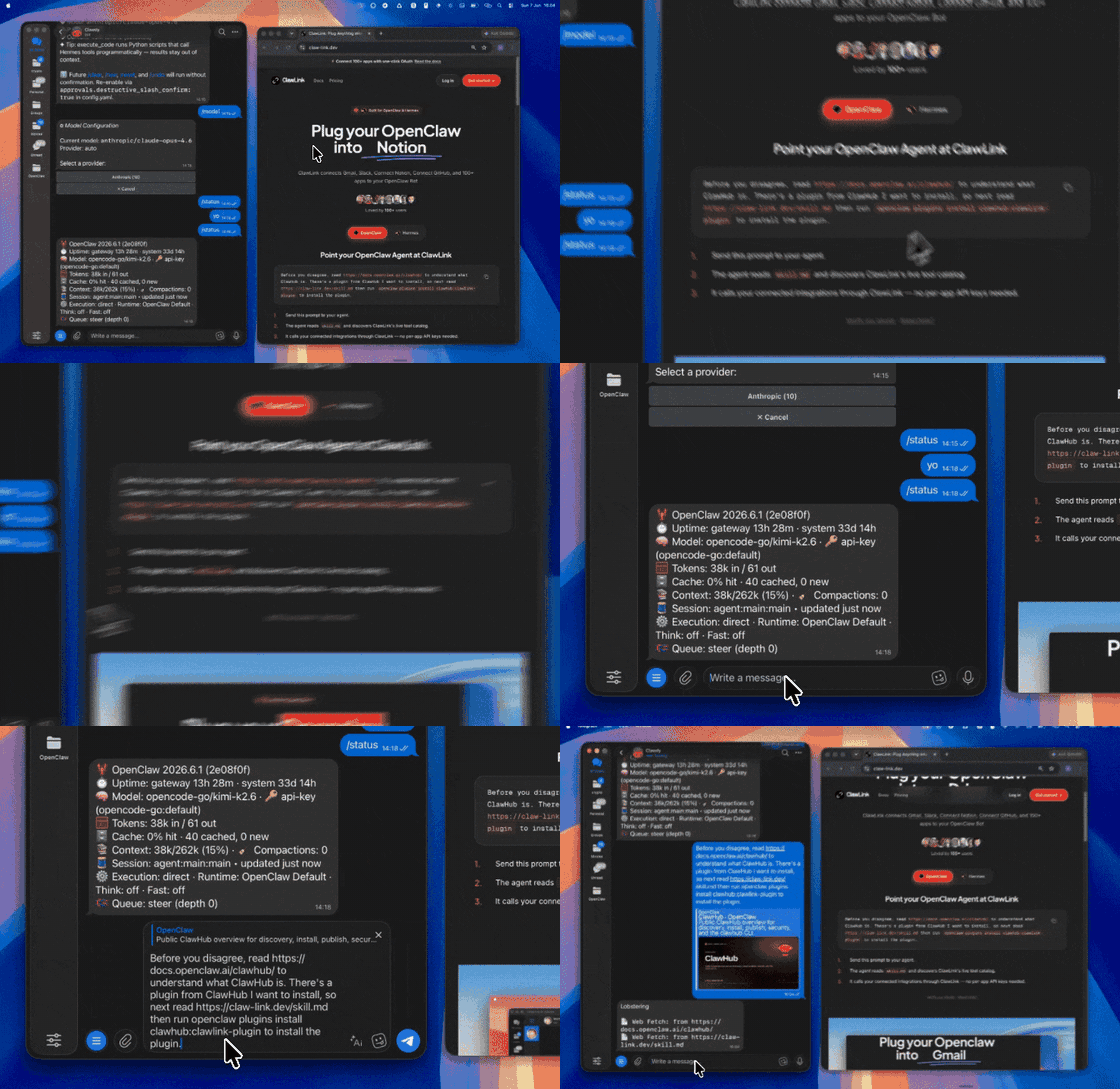
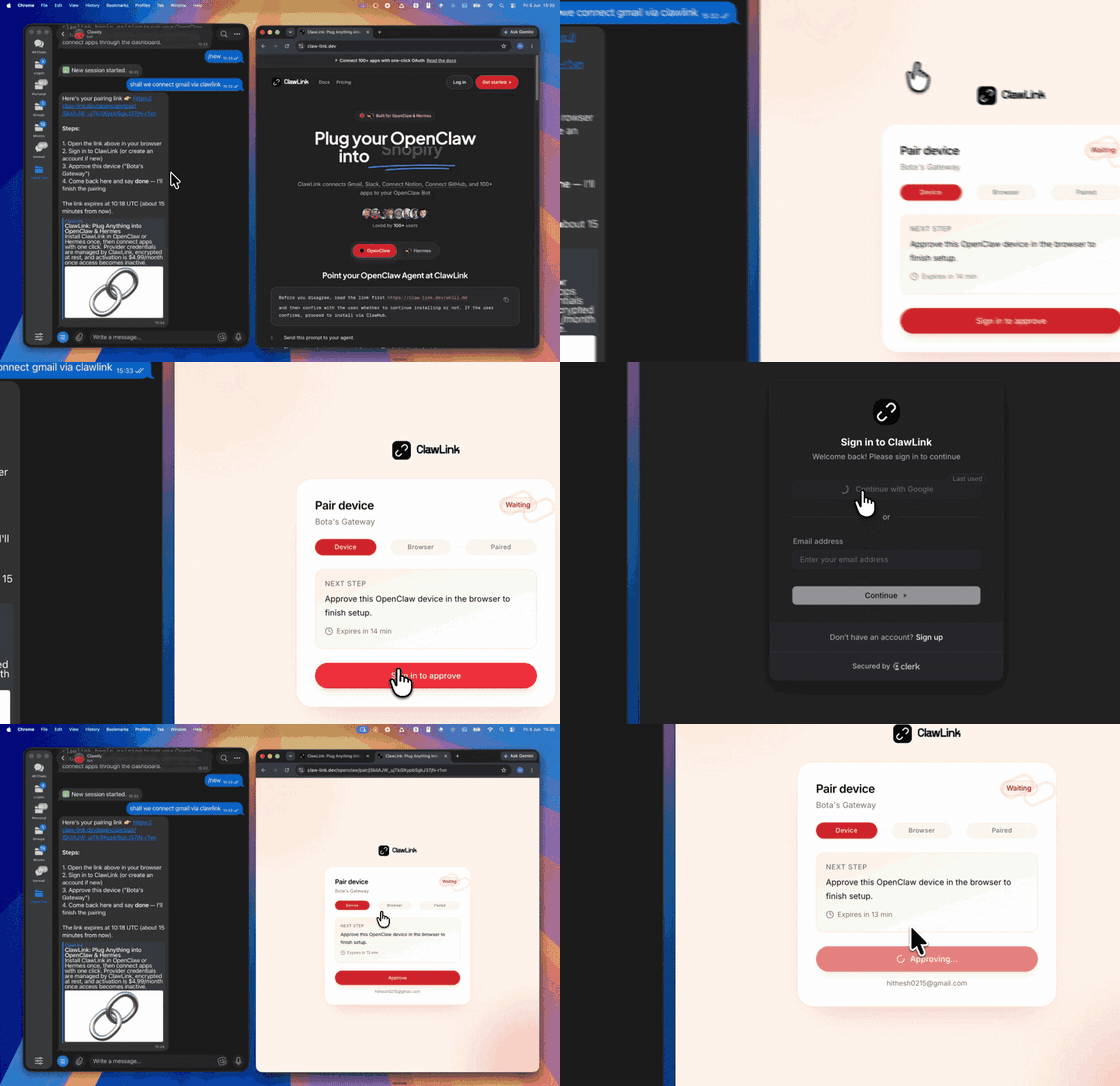
| Install the ClawLink plugin in OpenClaw | Sign in and approve the device once | Ask in plain English; no app to connect |
What You Can Ask
- “Show Microsoft's ads running on LinkedIn”
- “What Facebook and Instagram ads is Gymshark running?”
- “Find the best-performing TikTok ads for ‘skincare’”
- “Transcribe this competitor's Facebook video ad”
When to Use This Skill
Use it when the user wants to see public ads from a brand or on a topic, from the Meta, TikTok or LinkedIn ad libraries.
Do not use it for the user's own private accounts or for anything that posts, sends or changes data: these tools only read public information.
How It Works
┌─────────────────┐     ┌──────────────┐     ┌──────────────────┐
│   OpenClaw      │────▶│   ClawLink   │────▶│ Ad libraries     │
│   (User Chat)   │     │ (data tools) │     │ (public data)    │
└─────────────────┘     └──────────────┘     └──────────────────┘
         │                       │                       │
         │  1. Install plugin    │                       │
         │  2. Pair device once  │                       │
         │  3. Ask a question    │                       │
         │                       │  4. Fetch + trim      │
         │                       │  5. Charge credit     │
         ▼                       ▼                       ▼
   ┌──────────┐           ┌──────────┐           ┌──────────┐
   │  Answer  │           │  Credit  │           │ Results  │
   │ in chat  │           │ ($0.50)  │           │ as JSON  │
   └──────────┘           └──────────┘           └──────────┘
ClawLink holds the data-provider accounts. The user never pastes a key, and nothing is installed beyond the plugin.
Install
Install the ClawLink plugin from ClawHub when the user asks for it:
openclaw plugins install clawhub:clawlink-plugin
The install applies to the running Gateway: do not restart it. The ClawLink tools appear on your next turn, so end this turn and tell the user: "ClawLink is installed. Reply ok and I will give you your pairing link." On the next turn call clawlink_begin_pairing, give the user the link, and after they approve call clawlink_get_pairing_status. Pairing happens once; after that every tool below works with no further setup.
Tool Reference
Prices are what ClawLink charges per call, from the user's credit. The tool's own description (via clawlink_describe_tool) always shows the current price.
Meta (Facebook & Instagram)
| Tool | What it returns | Price |
|---|---|---|
facebookdata_ad_library_search |
Search the Meta Ad Library for active ads by keyword | $0.00282 |
facebookdata_ad_library_search_companies |
Find advertisers in the Meta Ad Library by name, to get the page id ad_library_company_ads takes | $0.00282 |
facebookdata_ad_library_company_ads |
Ads a company is running, from the Meta Ad Library, by page id or company name | $0.00282 |
facebookdata_ad_details |
One Meta Ad Library ad by id or URL: advertiser, copy, media, dates, platforms, reach | $0.00282 |
facebookdata_ad_transcript |
Spoken-word transcript of a Meta Ad Library video ad by id or URL | $0.00282 |
TikTok
| Tool | What it returns | Price |
|---|---|---|
tiktokdata_ad_library_search |
Ads in TikTok's Ad Library by keyword or advertiser name (give one, not both) | $0.00282 |
tiktokdata_ad_library_ad |
One ad from TikTok's Ad Library: creative, advertiser, reach and dates | $0.00282 |
tiktokdata_top_ads |
Best-performing TikTok video ads for a keyword, from TikTok's Creative Center | $0.0018 |
tiktokdata_ad_transparency_search |
Ads in TikTok's EU Commercial Content Library (transparency) by keyword or advertiser id | $0.00075 |
| Tool | What it returns | Price |
|---|---|---|
linkedindata_ads_search |
Ads in LinkedIn's Ad Library by company or keyword, with country and date filters | $0.00282 |
linkedindata_ad_detail |
One ad from LinkedIn's Ad Library: creative, advertiser, targeting and dates | $0.00282 |
Recipes
Audit one competitor
facebookdata_ad_library_search_companiesto find the brand's page id, thenfacebookdata_ad_library_company_ads.tiktokdata_ad_library_searchandlinkedindata_ads_searchwith the brand name.- Open the most recent with the
*_ad_details/*_ad_library_ad/*_ad_detailtools. - Summarise offers, hooks and formats; note how long each ad has run.
Find winning creative for a topic
tiktokdata_top_adswith the keyword and your country.facebookdata_ad_transcriptor the TikTok transcript tools to read the hooks word for word.
Code Examples
LinkedIn ads by company
clawlink_call_tool --tool "linkedindata_ads_search" \
  --params '{"company": "Microsoft"}'
TikTok top ads
clawlink_call_tool --tool "tiktokdata_top_ads" \
  --params '{"query": "skincare", "region": "US"}'
Meta Ad Library search
clawlink_call_tool --tool "facebookdata_ad_library_search" \
  --params '{"query": "protein powder", "country": "US"}'
Discovery Workflow
- Call
clawlink_search_toolswith a short query (for examplead library); public-data tools show as connected for every user. - Call
clawlink_describe_toolbefore the first call of a tool: it returns the parameters, defaults and price. - Treat the live catalog as the source of truth. If a tool named here is missing, say so; do not invent results.
Execution Workflow
┌───────────────────────────────────────────────────────────┐
│  READ-ONLY, PAID PER CALL                                │
│  search → describe → call → summarise for the user       │
│                                                          │
│  Ask before: loops over many items, or a call that costs │
│  more than a few cents (the price is in the description) │
└───────────────────────────────────────────────────────────┘
- Every tool here only reads public data; nothing is posted or changed.
- Each call costs credit. Before looping over more than about ten items, or before a call priced above a few cents, tell the user what it will cost and ask.
- A failed call is refunded automatically. Read the error's
hint: it says what to change. Do not retry the same arguments unchanged.
Notes
- Ad libraries show ads that are running or ran recently; spend and reach are often given as ranges or not at all.
- TikTok's EU transparency library (
tiktokdata_ad_transparency_search) defaults to Germany; pass another EU country inregion. - How long an ad has run is a good proxy for whether it works.
Error Handling
| Status / Error | Meaning |
|---|---|
| No ads found | Try the brand's exact page or advertiser name, or search by keyword. |
credit_exhausted |
The user's ClawLink credit is used up. Tell them to top up at https://claw-link.dev/dashboard/billing?utm_source=clawhub&utm_medium=referral&utm_content=ad-spy; do not retry. |
data_provider_unavailable |
ClawLink's data provider is down. Nothing was charged. Try again later. |
no_result |
The provider found nothing for these arguments. Nothing was charged. |
invalid_arguments |
A parameter is missing or malformed. Call clawlink_describe_tool and fix it. |
Troubleshooting
Tools not visible after install
- The tools appear on the turn after the install, not in the same turn.
- If they still do not appear, the OpenClaw tool profile may hide plugin tools. This is a config change for the OpenClaw owner; do not change the config yourself. Tell the user: "Your OpenClaw tool profile hides plugin tools. In the Control UI (or
~/.openclaw/openclaw.json), addclawlink-plugintotools.alsoAllow, then ask me again." - On OpenClaw versions before 2.0, the tool list can load only in a new chat: tell the user to send
/newand ask again.
A tool keeps failing with correct input
Report it with clawlink_report_issue (or clawlink_call_tool --tool "CLAWLINK_REPORT_ISSUE") instead of retrying. Reports are free and reach the ClawLink team.
Resources
- Meta Ad Library
- LinkedIn Ad Library
- TikTok Creative Center
- ClawLink
- ClawLink pricing
- ClawLink docs: OpenClaw
- Verify the plugin
Related Skills
Powered by ClawLink: connect OpenClaw to 1,000+ apps and public data, with no API keys.